
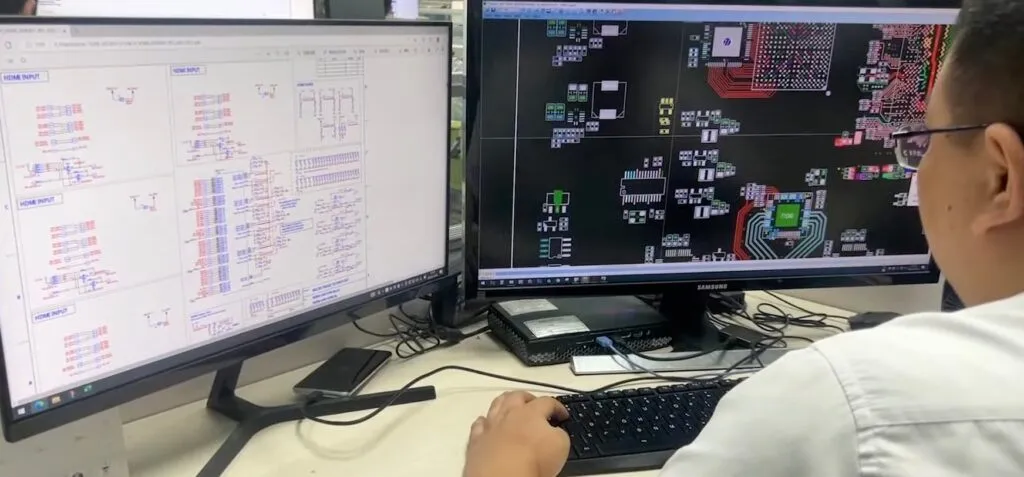
Embedded Linux is widely used in edge AI products, including smart cameras, industrial controllers, robotics systems, medical devices, IoT gateways, and AI inspection equipment. Compared with cloud servers, embedded devices usually have limited CPU resources, smaller memory capacity, stricter power budgets, and more challenging thermal conditions.
For AI inference, model optimization is only one part of the work. Real performance also depends on the Linux system, CPU scheduling, memory behavior, I/O performance, hardware acceleration, power design, and PCBA stability.
This article explains practical optimization methods for improving AI inference performance on embedded Linux platforms.
1. Start with Real Performance Measurement
Before changing kernel parameters or software settings, it is important to measure the current system performance.
A useful baseline should include:
- AI inference latency
- Average FPS or throughput
- CPU usage
- Memory usage
- Storage I/O usage
- Device temperature
- Power consumption
- Inference accuracy
- Long-term stability under continuous workload
Many problems only appear during long operation. A device may run well for five minutes but slow down after one hour because of thermal throttling, memory pressure, or power instability.
For production AI hardware, testing should be done on the actual PCBA and enclosure, not only on a development board.
2. Real-Time Kernel and Scheduling Control
Some AI applications require predictable response time. Examples include robotics, industrial control, machine vision, motion control, and safety-related detection systems.
For these applications, a standard Linux kernel may not always provide stable timing. Interrupt latency and scheduling jitter can affect system response.
The PREEMPT_RT patch is often used to improve real-time behavior by reducing scheduling delays. It can help make system timing more predictable, especially when AI inference runs together with sensors, motors, cameras, or communication tasks.
However, real-time tuning should be applied carefully. A real-time kernel does not automatically make every AI system faster. It mainly helps improve timing stability.
For PCBA production and final product testing, engineers should verify timing behavior under real workloads, including camera input, data transmission, AI inference, and output control.
3. CPU Affinity and Core Isolation
On multi-core embedded processors, AI inference performance can be improved by controlling which tasks run on which CPU cores.
For example, AI inference can be assigned to dedicated cores, while system tasks, communication, logging, and sensor data collection run on other cores.
Common methods include:
- Using
tasksetto bind a process to specific CPU cores - Using
cgroupsto manage CPU resources - Using kernel parameters such as
isolcpusfor core isolation - Separating background system tasks from inference workloads
This reduces context switching and improves cache efficiency. It can also make latency more stable.
For edge AI hardware, this is useful when the device must process camera images, run AI inference, communicate with other systems, and control external hardware simultaneously.
4. Memory Optimization
AI inference can be sensitive to memory performance. Transformer models, vision models, and detection models may require frequent memory access. If memory allocation is unstable or bandwidth is limited, inference speed may drop.
Useful memory optimization methods include:
- Keeping critical data in RAM
- Reducing unnecessary memory copies
- Using preallocated buffers
- Adjusting swap behavior
- Using huge pages where suitable
- Avoiding memory fragmentation during long operations
Transparent Huge Pages may help some workloads, but in some embedded systems, they can also create unpredictable pauses. It should be tested based on the actual platform.
For memory-limited devices, compressed swap, such as zram, may help prevent crashes, but it should not be used as a replacement for sufficient RAM. If the model depends heavily on swap, inference performance will usually suffer.
From a hardware perspective, memory selection is also important. RAM capacity, memory bandwidth, memory chip availability, and PCB layout quality all affect final performance.
5. I/O and Storage Optimization
Some AI systems need to load models, images, video streams, logs, or configuration files from storage. Slow or unstable I/O can affect startup time and runtime performance.
For SSD-based systems, simple schedulers such as none or noop may reduce unnecessary scheduling overhead. For systems with shared storage workloads, other schedulers may be more suitable.
Engineers should check:
- Model loading time
- Storage read/write speed
- Logging frequency
- Camera data flow
- File system behavior
- Long-term storage stability
Tools such as iostat, iotopSystem logs can help identify I/O bottlenecks.
For PCBA design, storage devices and interfaces should also be reviewed early. eMMC, UFS, SD card, NVMe, USB storage, and SPI flash all have different speeds, costs, reliability, and sourcing considerations.
6. Framework-Specific Optimization
Popular AI inference frameworks such as TensorFlow Lite, ONNX Runtime, OpenVINO, and PyTorch Mobile provide different optimization options for embedded platforms.
The right framework and backend can make a large difference.
Common optimization directions include:
- Enabling ARM NEON acceleration
- Using XNNPACK for CPU inference
- Using GPU backends where supported
- Using NPU vendor SDKs
- Adjusting thread count
- Reducing batch size for real-time applications
- Using supported operators
- Avoiding unsupported model layers
- Converting models to hardware-friendly formats
For example, an NPU may deliver very good performance, but only when the NPU runtime supports the model operators. If unsupported operators fall back to the CPU, real-world performance may be much lower than expected.
This is why model, framework, and hardware platform selection should be reviewed together.
7. Power and Thermal Stability
AI inference workloads can create sudden power demand and continuous heat generation. If the power design is weak or the thermal design is insufficient, the system may throttle, restart, or become unstable.
Important hardware factors include:
- Stable power rails for CPU, GPU, NPU, and memory
- Proper decoupling capacitors near key ICs
- Good PCB layout for high-current paths
- Thermal vias under hot components
- Heatsink or enclosure heat path design
- Temperature monitoring during continuous workload
- EMI control for industrial environments
In many embedded AI products, performance problems are not caused by software alone. They may come from voltage drop, heat buildup, poor grounding, or insufficient thermal design.
For this reason, AI inference testing should include power and temperature monitoring on the actual PCBA.
8. Production Testing for Embedded AI Devices
A working prototype is not enough for volume production. Embedded AI hardware needs a clear testing process before shipment.
Production testing may include:
- AOI inspection
- X-ray inspection for BGA components
- Power-on testing
- Firmware flashing
- Linux boot test
- Peripheral interface test
- Camera or sensor test
- AI inference function test
- Temperature test
- Network or communication test
- Long-run stability test
Adding proper test points and programming interfaces during PCB design can make production testing much easier.
If these are missing, debugging and batch production may become slower and more expensive.
Conclusion
AI inference optimization on embedded Linux is a system-level task. Kernel tuning, CPU isolation, memory optimization, I/O settings, and framework configuration can all improve performance, but they must be tested on the real hardware platform.
For reliable AI products, software optimization should work together with good PCBA design, stable power delivery, thermal management, component sourcing, and production testing.
A fast model is important. A stable hardware platform is just as important.
PCBAEng supports embedded AI hardware projects with PCB assembly, component sourcing, DFM review, SMT assembly, testing support, and prototype-to-production manufacturing.